Quick Summary
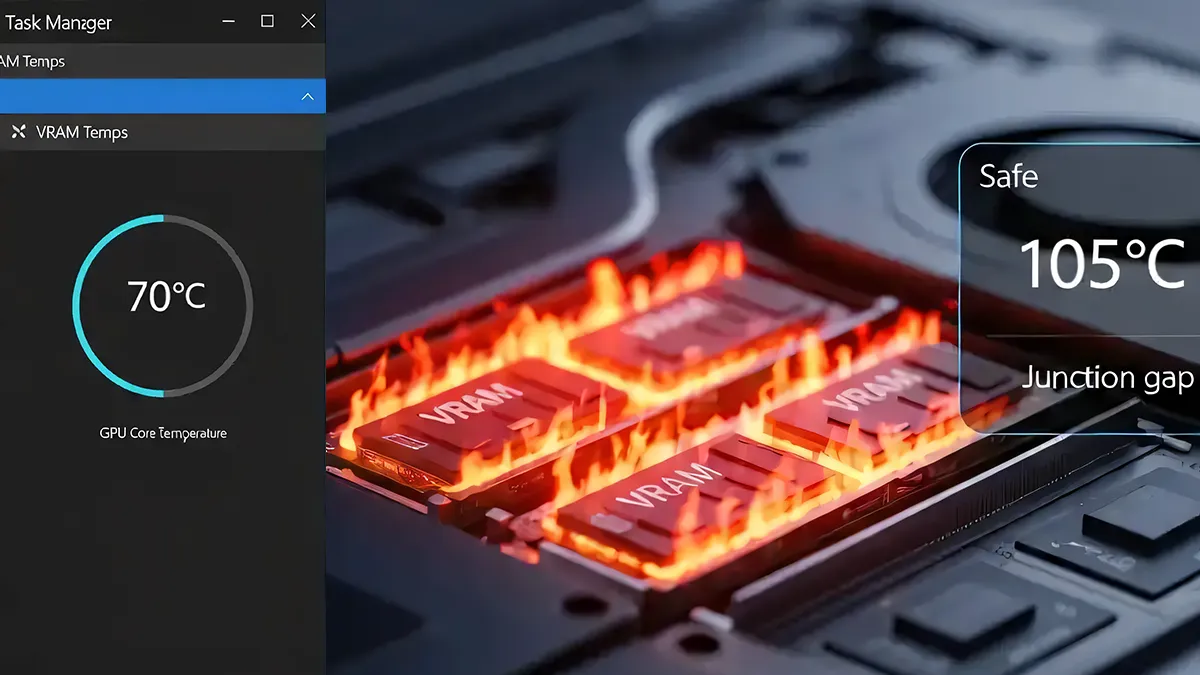
Most PC enthusiasts rely on Windows Task Manager VRAM temps to monitor their hardware during intense sessions. However, this built-in utility only displays the temperature of the GPU core. It fails to account for the localized heat generated by high-speed memory modules, creating a dangerous gap in your system telemetry.
The Monitoring Gap
To truly understand your hardware's health, you need Memory Junction temperature monitoring 2026 standards. While your GPU core might stay at a respectable 70°C, the video memory chips surrounding it can often reach much higher levels. Ignoring these specific sensors can lead to unexplained performance drops during demanding creative or gaming tasks.
This discrepancy is particularly noticeable with RTX 40-series VRAM overheating issues in modern laptops. The core might report comfortable temperatures, but the high-density GDDR6X modules generate substantial heat that is not reflected in the primary sensor. This hidden thermal load is a primary cause of erratic system performance and long-term instability. Modern high-performance laptops are especially vulnerable due to their compact chassis and shared heat pipe architecture. This design choice means that heat from the CPU and GPU core often saturates the cooling system. Consequently, the video memory modules struggle to dissipate their own thermal energy, leading to significant heat accumulation.
"When the memory hits the 105°C threshold, a hard-coded protocol within the GPU's firmware is triggered. This survival mechanism instantly slashes memory clock speeds to prevent hardware degradation. For the user, this results in a sudden, massive drop in performance that feels like a software bug."
When running intensive AI generation or modern games, laptop VRAM heat density can quickly spike to critical levels. Without specialized management, your hardware will eventually reach a physical limit. Once the memory chips exceed their safe operating range, the system must take drastic measures to manage the rising thermal load.
When the memory hits the memory junction 105C threshold, a hard-coded protocol within the GPU's firmware is triggered. This survival mechanism instantly slashes memory clock speeds to prevent hardware degradation. For the user, this results in a sudden, massive drop in performance that feels like a software bug.

Know your VRAM Thermal Limits
Download the 2026 Reference Chart for RTX 30/40/50 Series.
Owners of high-end machines frequently notice these sudden dips despite their RTX 4080 laptop temps appearing normal in the taskbar. These performance collapses are usually the result of memory modules hitting their thermal limits silently. To accurately monitor your hardware, specialized tools that can read the memory sensors are absolutely essential. For more on this, see Why VRAM Overheats in Modern Laptops.
Professional VRAM Control
To address these challenges, VRAM Shield offers a professional-grade solution for advanced users. It serves as a dedicated VRAM temperature control software that monitors the specific heat of your memory modules. By providing real-time telemetry, it allows you to see the thermal reality that standard Windows tools completely ignore.
The utility implements process scheduling VRAM optimization to manage heat generation at the source. Instead of applying global power limits that hobble your entire system, it targets the specific process causing the thermal load. This ensures that your hardware remains stable and responsive even during the most demanding workloads.
To maintain AI generation VRAM stability, the software utilizes a methodology called Pulse Throttling. This approach introduces millisecond-long micro-suspensions in the GPU-heavy workload. These tiny pauses allow the memory modules to dissipate heat faster than it accumulates, preventing the firmware from ever triggering its aggressive emergency throttle. For a technical comparison, see Pulse Throttling vs. Undervolting: A Technical Comparison.
Experienced users understand that mastering gaming VRAM thermal limits requires more than just high fan speeds. It requires a proactive strategy that manages the duty cycle of the hardware. By using Pulse Throttling, you can achieve a much more stable thermal profile without sacrificing your system's peak performance potential.
Long-Term Hardware Reliability
The Pulse Throttling benefits extend beyond just lower temperatures; they provide a foundation for long-term hardware reliability. By keeping the memory junction within a safe operating range, you mitigate the risks of thermal degradation. This proactive management is essential for anyone who pushes their laptop to its limits daily.
For professionals who require consistent performance AI output, the PRO version of the utility offers even more precision. It features a Smart Throttling algorithm driven by a PID-controller. This advanced logic calculates the exact amount of "breathing room" required to keep the hardware cool while maintaining maximum possible throughput. Learn more in Pulse Throttling vs. Smart Throttling.
Managing GDDR6X heat density issues is no longer optional for owners of flagship laptops. As memory bandwidth continues to increase, the cooling requirements will only become more stringent. Adopting a software-based management layer is the most effective way to handle these physical constraints without modifying your hardware.
If you are running sustained workloads, you must consider the impact of sustained operating temperature GDDR7 and GDDR6X standards. High temperatures over long periods can lead to unpredictable behavior and reduced efficiency. Taking control of your thermal environment is the first step toward achieving a truly professional and stable workstation. For more on next-gen memory thermals, see GDDR7 Thermals: Next-Gen VRAM Management.
Don't let unmanaged heat compromise your system's stability or your creative productivity. By moving beyond basic monitoring, you can ensure that your hardware performs exactly as intended. Take direct control over your hardware's thermal performance and safeguard your investment by choosing your VRAM Shield plan today.