Quick Start Guide
Master your thermal management in minutes. Choose your version below.
Table of Contents
1. Free Version Guide
Installation & Launch
VRAM Shield is a portable application. No installer, no registry clutter.
- Download the `.exe` file from the official source.
- Move it to a permanent folder (e.g.,
C:\Tools\VRAMShield). - Crucial: Right-click and select "Run as Administrator". This is required to manage system processes.
Interface Overview
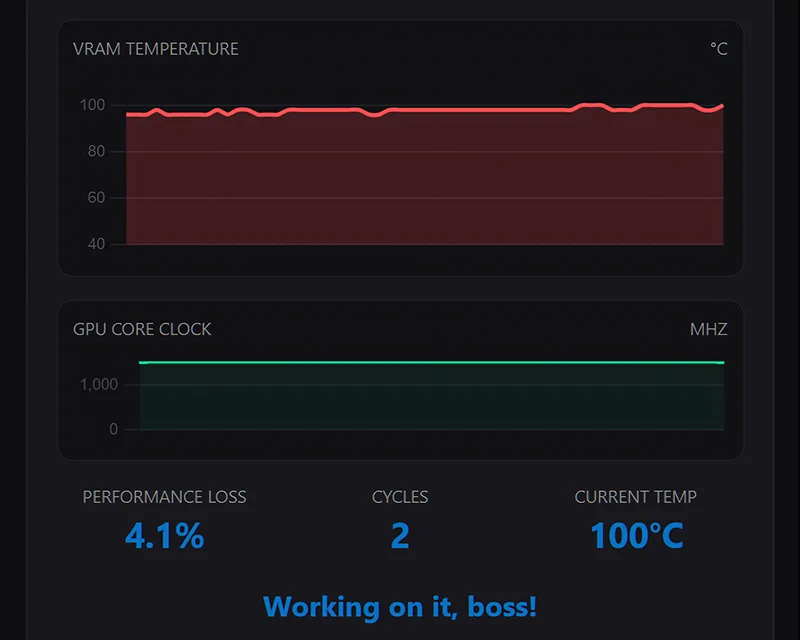
The dashboard provides real-time thermal telemetry. Control your operation via these modules:
Charts & Statistics
-
VRAM Temperature Chart
Visualizes real-time temperature fluctuations to help you understand your VRAM's thermal behavior.
-
GPU Core Clock Chart
Displays GPU core clock speed, providing insights into your graphics card's workload and throttling points.
-
Performance Loss & Cycles
Quantifies the performance impact of active Operation and tracks the number of cooling cycles initiated.
-
Current Temp
Direct display of your VRAM's current temperature for immediate feedback.
Operation Modes
-
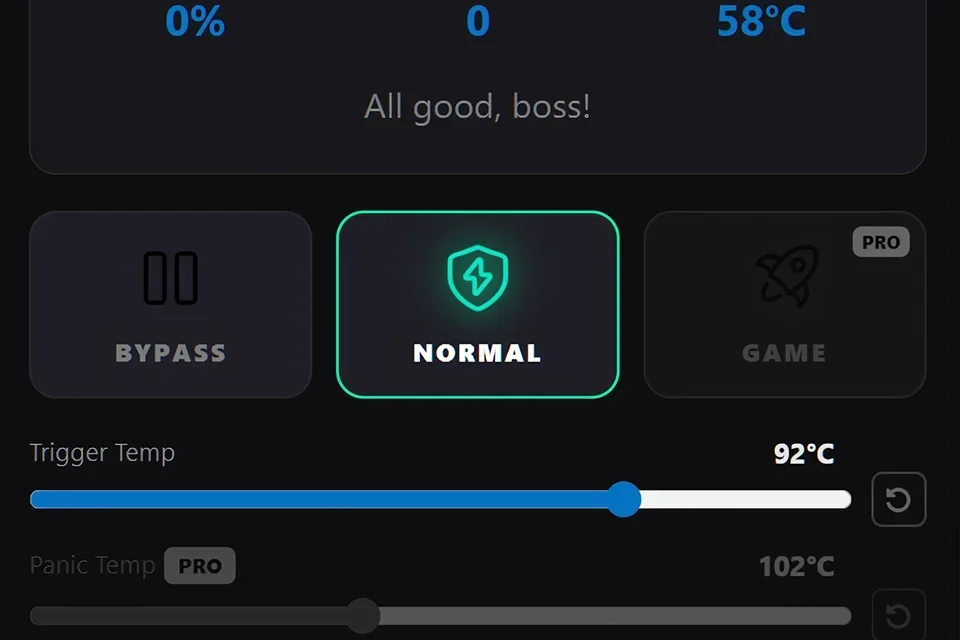
Bypass (Idle)
Passive monitoring only. Best for light tasks like web browsing.
-
Normal (Pulse Throttling)
Standard scheduling. Uses fixed cooling cycles to prevent thermal runaway.
-
Game (Smart Throttling) PRO
Advanced mathematical logic for fluid gameplay.
Sliders & Controls
-
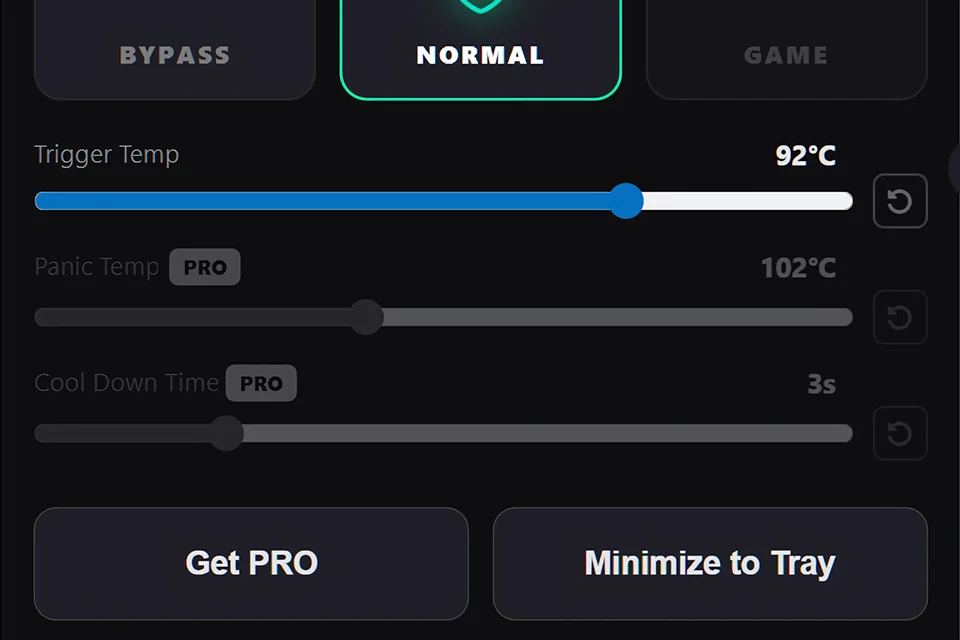
Trigger Temp
The exact point where throttling kicks in. Adjustable even in Free version.
-
Panic Temp PRO
Emergency hard-stop. Fixed at 102°C for Free users.
-
Cool Down Time PRO
Duration of cooling cycles. Fixed at 3.0s for Free users.
App Settings
Click the ☰ icon in the top-right to customize behavior:
- Autostart: Automatically manage VRAM thermals from the moment you log in.
- Notifications: Get desktop alerts when throttling activates or temperatures hit critical levels.
- Close to Tray: Keep the app running in the background without taking up taskbar space.
- Check for updates: Automatically check for new versions of VRAM Shield.
2. PRO Version Guide
Activation & Setup
VRAM Shield PRO unlocks the full potential of our thermal management engine.
- License Key: Enter your key in the "I have a key" section of the menu.
- Cloud Sync: The app validates your status once every 90 days. It works offline in between.
- Hardware ID: Your license is tied to your motherboard's unique ID for security.
Unlocked Controls
Premium Modes
-
Game Mode (Smart Throttling)
The crown jewel. Uses advanced mathematical logic to micro-adjust load. Keeps frame rendering stable while maintaining a flat thermal line.
Advanced Sliders
-
Panic Temp — Unlocked
Set your own emergency threshold (up to 105°C). Absolute priority over all other logic.
-
Cool Down Time — Unlocked
Fine-tune the intelligent load management cycle (0.5s to 10s). Lower values mean more aggressive, smoother cooling.
Expert Configurations
Different tasks require different thermal strategies. Learn how to tune VRAM Shield for AI generation vs. 4K Gaming.
View Use Cases →